Inventory Studio Download

For Second Life residents · Mac and Windows

Your Second Life inventory, organised in your browser.

Boxes inside boxes, five copies of the same shirt, landmarks scattered across Received Items. Inventory Studio keeps a saved copy of your whole inventory on your computer, so you can browse and search it in an instant and tidy it safely, on your computer or your phone, without opening a viewer.

Version 1.1.0 for macOS 14 or later on Apple silicon, and 64-bit Windows 10 or 11.

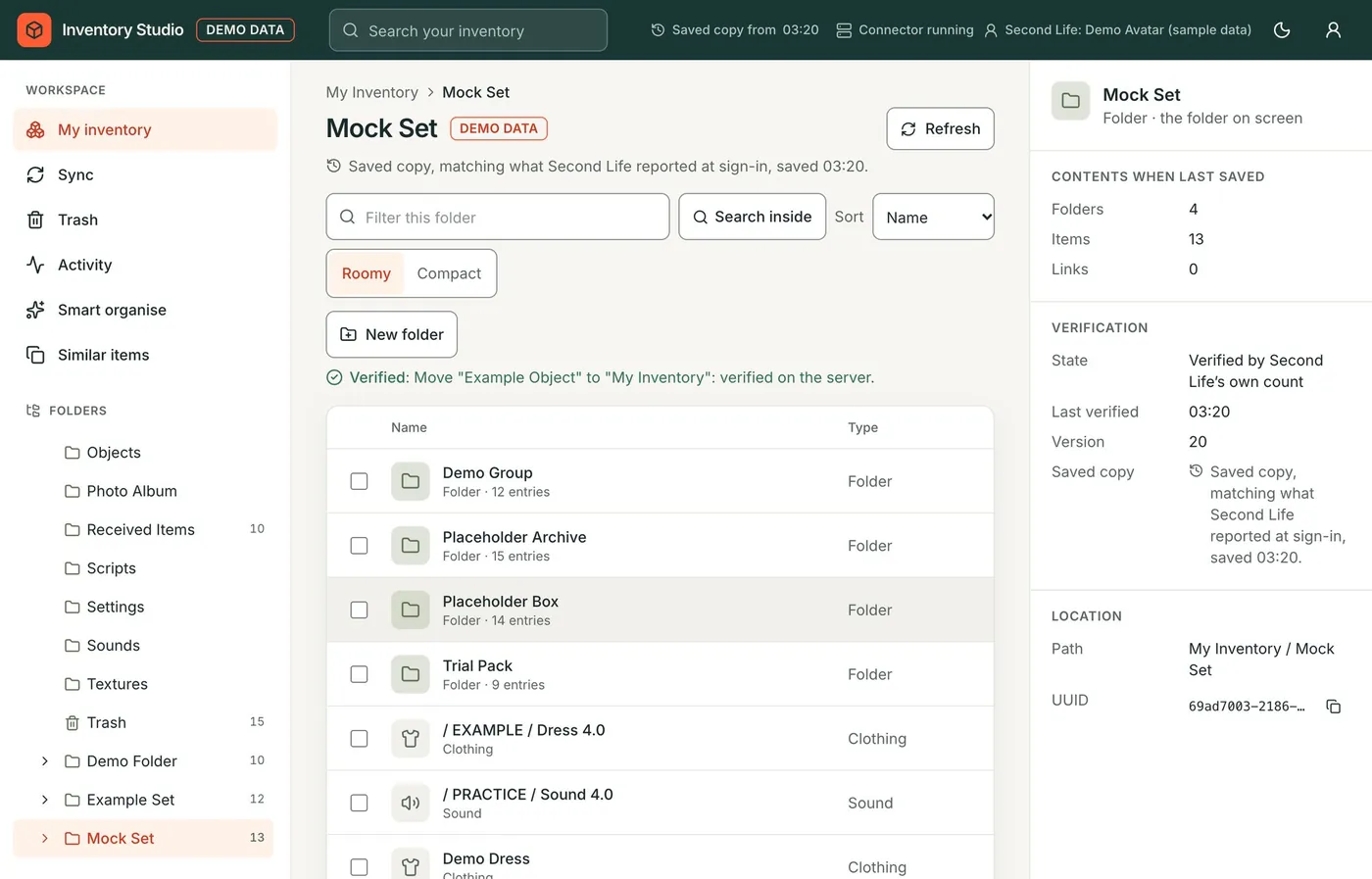
Inventory Studio in a browser: a folder tree on the left, the contents of a folder in the middle and its details on the right.
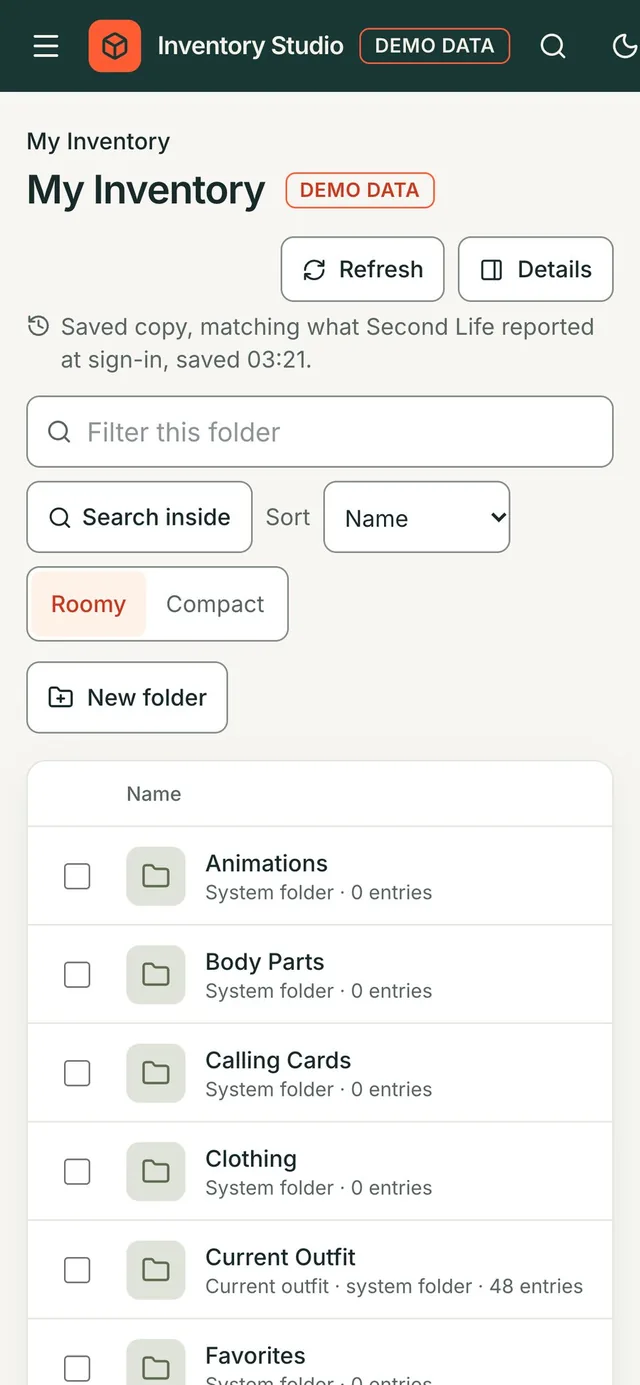
The same inventory on a phone.

Promises it keeps

Your inventory is precious. Inventory Studio is built around six rules it never breaks.

  • Second Life decides

    The saved copy is only a copy. Before any change, the folders involved are read again from Second Life, and the page always says how fresh what you see is.

  • Verified means verified

    A change is sent once, then Second Life is read again. Only when it shows the change does Inventory Studio say Verified. Nothing is sent twice.

  • Nothing is deleted

    There is no delete button anywhere. Things go to the Trash, and Inventory Studio remembers where they came from so you can put them back.

  • Read-only until you say so

    Every avatar starts read-only. You allow changes on your computer's admin page, and that ends when the avatar signs out.

  • Protected places stay untouched

    Current Outfit, the Marketplace folders, the Library and the system folders themselves are never moved, renamed or emptied.

  • Your data stays with you

    The saved copy, your settings and any saved password stay on your computer. Your Second Life password only ever goes to Linden Lab.

Everything in one place, and fast

Browse and search in an instant

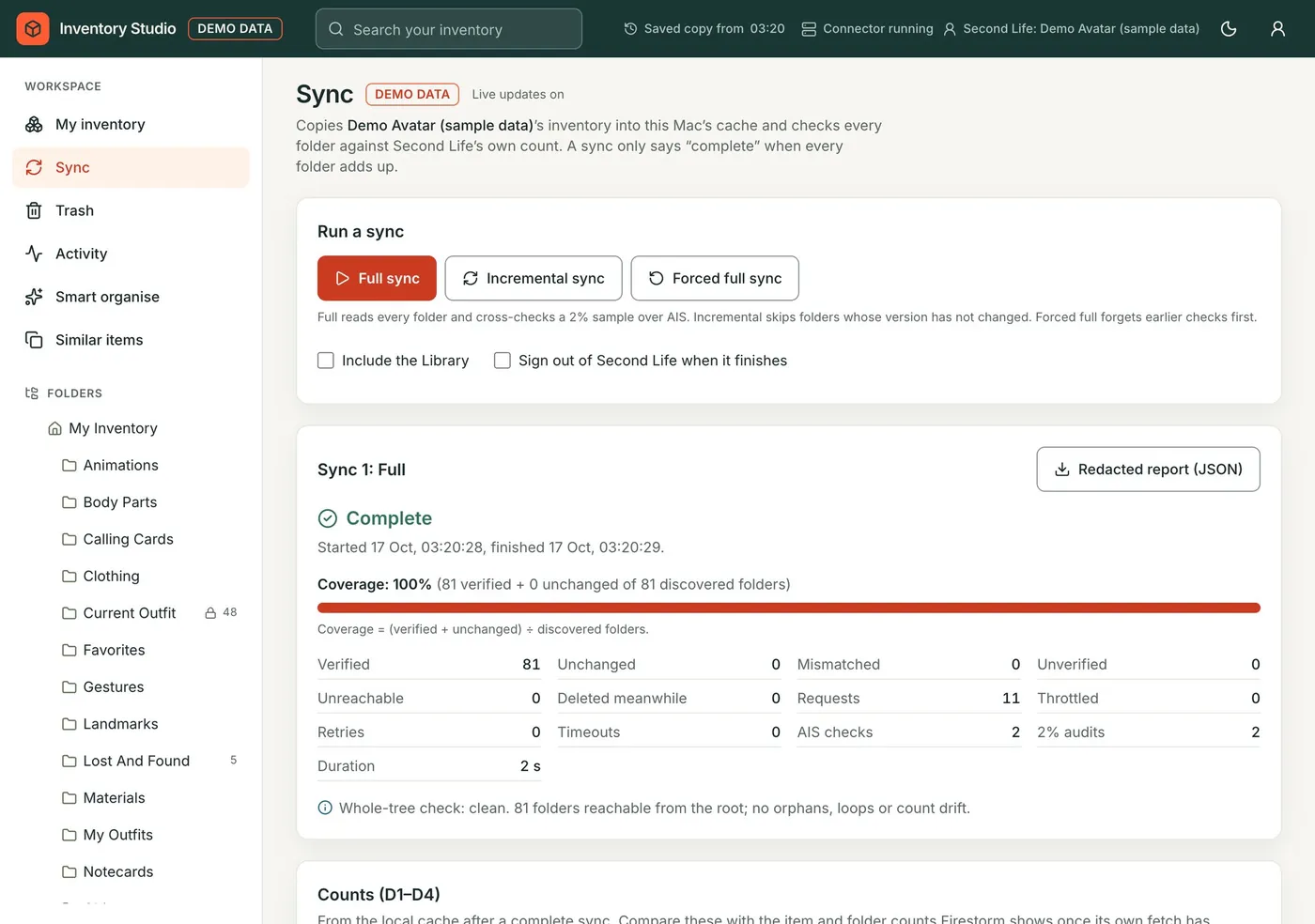
Your whole inventory is saved on your computer after the first sync, so folders open at once and search covers every item, even when you are not logged in to Second Life. Details show each item's type and permissions, and keyboard shortcuts keep big jobs quick.

The Sync page after a first sync, with the number of folders and items saved.

Change things safely

Move, rename, make folders, send things to the Trash and bring them back. Each change is checked with Second Life and marked Verified only when the server shows it. The Activity page keeps a record of everything.

A folder showing 'Verified: Move Example Object to My Inventory: verified on the server.'

Similar items

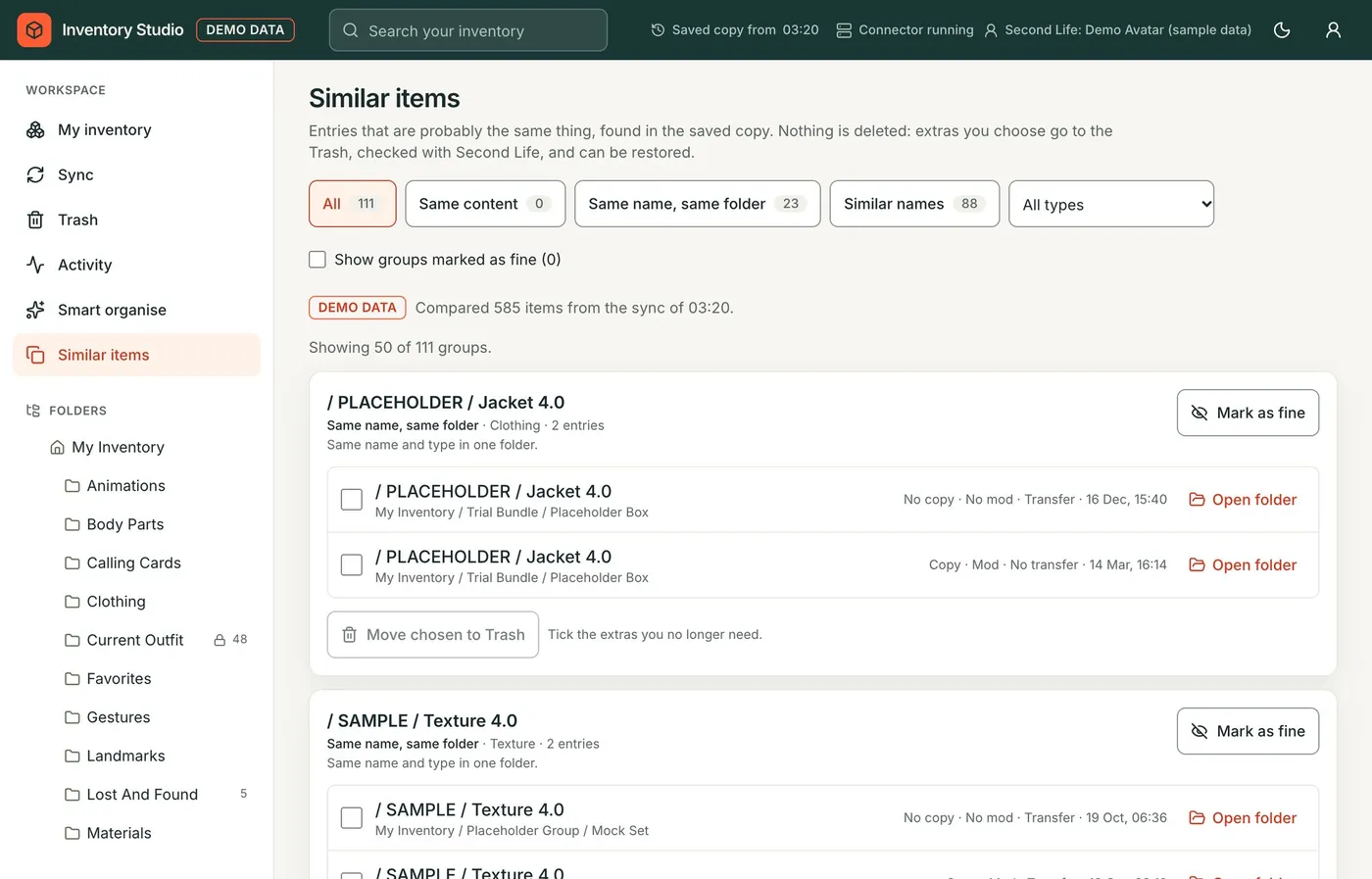
Finds probable duplicates for you to review: exactly the same content, the same name in one folder, or similar names anywhere. Send the extras to the Trash, or mark a group as fine and it stays quiet.

The Similar items page, listing groups of probable duplicates.

Smart organise

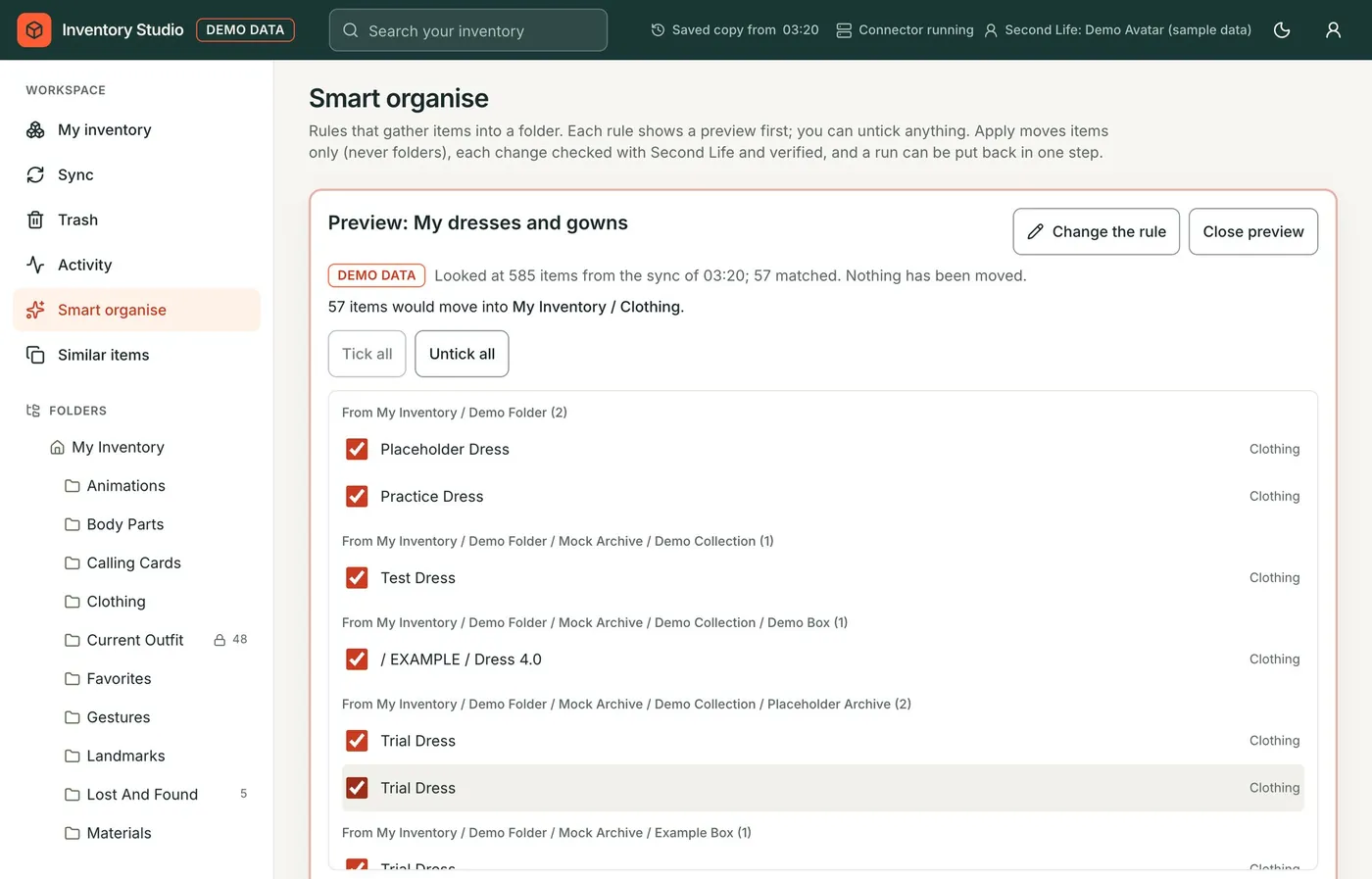
Gather loose items into folders by rules: built-in ones for landmarks, notecards, textures, dresses, hair, furniture and more, or your own. Every rule shows a preview first, you can untick anything, and a whole run can be put back in one step.

A Smart organise preview: 57 dresses that would move into My Inventory / Clothing, each with a tick box.

On your phone, privately

Open Inventory Studio on your iPhone or Android phone through Tailscale, a free private network, and add it to your Home Screen. Sign in with a passkey and Face ID. Nothing goes through anyone else's server.

Inventory Studio on a phone.

How it works

Two parts. A connector runs quietly on your computer and talks to Second Life for you. The app is the web page you use.

  1. Second Life Your inventory, always the source of truth
  2. The connector on your Macon your PC Signs in as your avatar, keeps the saved copy, checks every change
  3. You, in a browser On the computer, or on your phone through Tailscale
  1. Install

    Open the disk image, drag Inventory Studio to Applications, approve it once and press Install and start.

    Run the setup. It installs for you only, with no administrator needed, and starts the connector.

  2. Activate and sign in

    On the admin page, enter your licence code, then sign your avatar in to Second Life. Or try it straight away with demo data.

  3. Sync and tidy

    The first sync saves your inventory. From then on, browse, search and organise in any browser.

The Inventory Studio app on a Mac, saying the connector is running. The Inventory Studio app on Windows, saying the connector is running.
The small Inventory Studio app starts, stops and checks the connector. You only need it now and then.

One licence, one computer, a month at a time

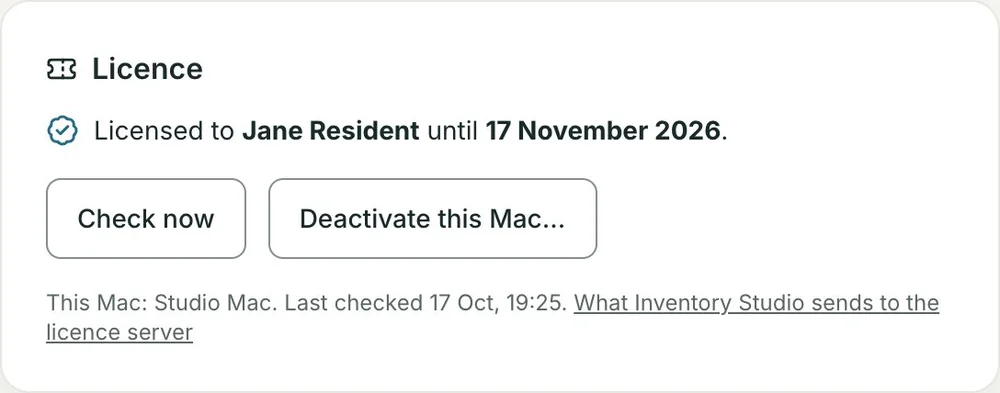
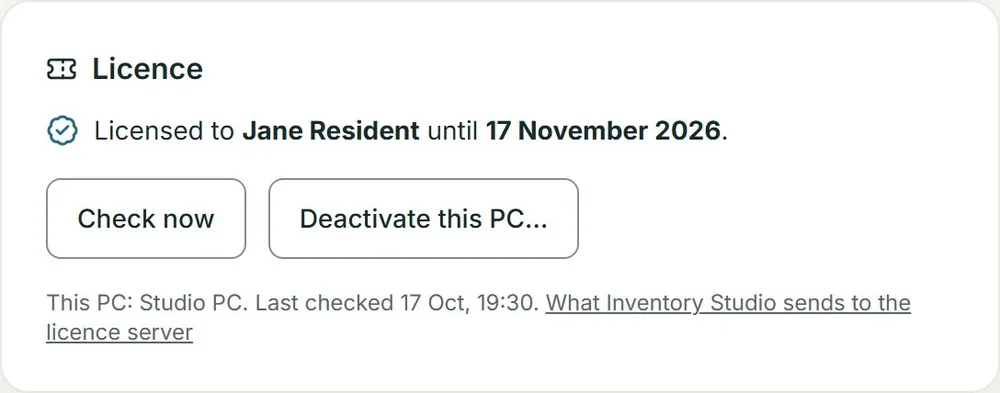
Signing an avatar in to Second Life needs a licence activated on that computer. Moving to a new computer is easy: deactivate the old one, then enter your code on the new one.

Try everything first without a licence: Use demo data instead on the admin page opens a made-up inventory that lives only on your computer.

Email hello@mcodev.cloud for a monthly licence for one computer. Your code arrives by email.

The Licence card on the admin page, saying this Mac is licensed and until when. The Licence card on the admin page, saying this PC is licensed and until when.

Download Inventory Studio

Version 1.1.0, with the user manual.

Mac

  • Apple silicon (M1 or later)
  • macOS 14 Sonoma or later
Coming soon

The first time, approve it in System Settings › Privacy & Security › Open Anyway: it is not notarised by Apple.

Windows

  • 64-bit Windows 11 or Windows 10
  • On an Arm PC, Windows 11
Coming soon

The first time, SmartScreen says it protected your PC: choose More info, then Run anyway. The setup is not signed.

Downloads open very soon. Email hello@mcodev.cloud and we'll tell you when they do.

Questions

Do I need to be logged in to Second Life in a viewer?

No, the other way round. Inventory Studio signs in as your avatar, like a viewer does, so log out of your viewer while it works: Second Life allows one login per avatar at a time. Once your inventory is saved, you can browse and search it without being signed in at all.

Can it lose or delete my things?

There is no delete button anywhere. Things you clear out go to the Trash, and Inventory Studio remembers where they came from so you can put them back. Every avatar starts read-only, and protected places such as Current Outfit and the Marketplace folders are never touched.

Where does my password go?

Only to Linden Lab, when the connector signs in. If you choose to save a login, it is kept in your computer's own secure store (the Keychain on a Mac, Windows Credential Manager on a PC). Inventory Studio has no server of its own that sees your inventory or your password.

Can I try it before buying a licence?

Yes. Install it and choose Use demo data instead on the admin page: a made-up inventory with every feature working. A licence is needed only to sign a real avatar in to Second Life.

How does the licence work?

One licence covers one computer for a month. It checks with the licence server about once a day, and keeps working for 7 days without the internet. To move it, press Deactivate on the old computer, then enter your code on the new one. If the old computer is gone, the new one offers Move it here.

Does it run on an Intel Mac, Linux or a Chromebook?

Not yet. The Mac version needs Apple silicon (M1 or later) and macOS 14 Sonoma or later; the Windows version needs 64-bit Windows 10 or 11. Once it is installed, any browser can open the app, including on Linux, a Chromebook or a tablet on your private network.

Why does my Mac or PC warn me the first time?

The Mac app is not notarised by Apple and the Windows setup is not signed with a paid certificate, so macOS and Windows ask you once to confirm. Each download's SHA-256 checksum is listed above so you can check the file is exactly the one published here.